先看完 vim-galore
概念
- normal、insert、visual 等模式
- window、pane、buffer
- set、let、command
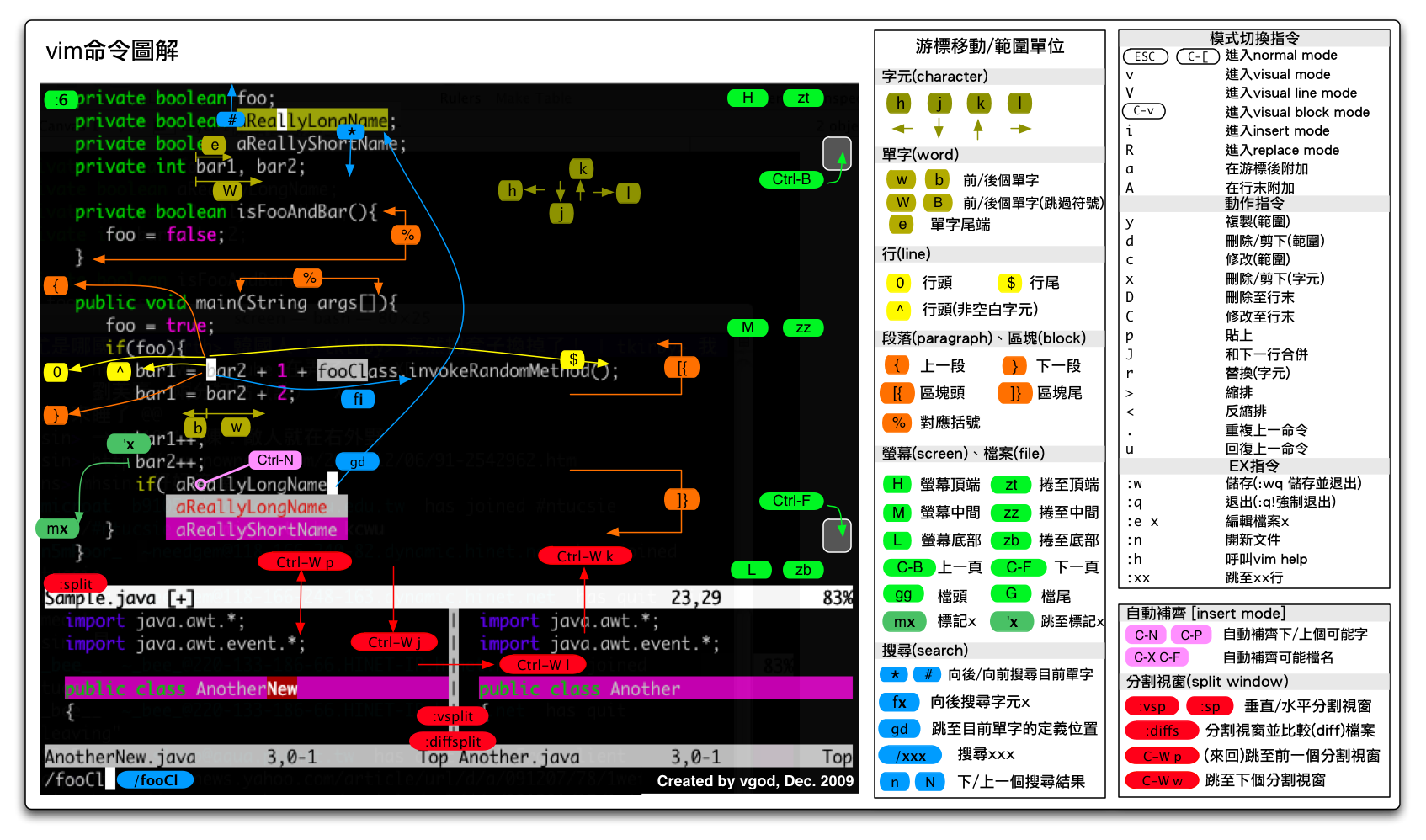
Cheatsheets
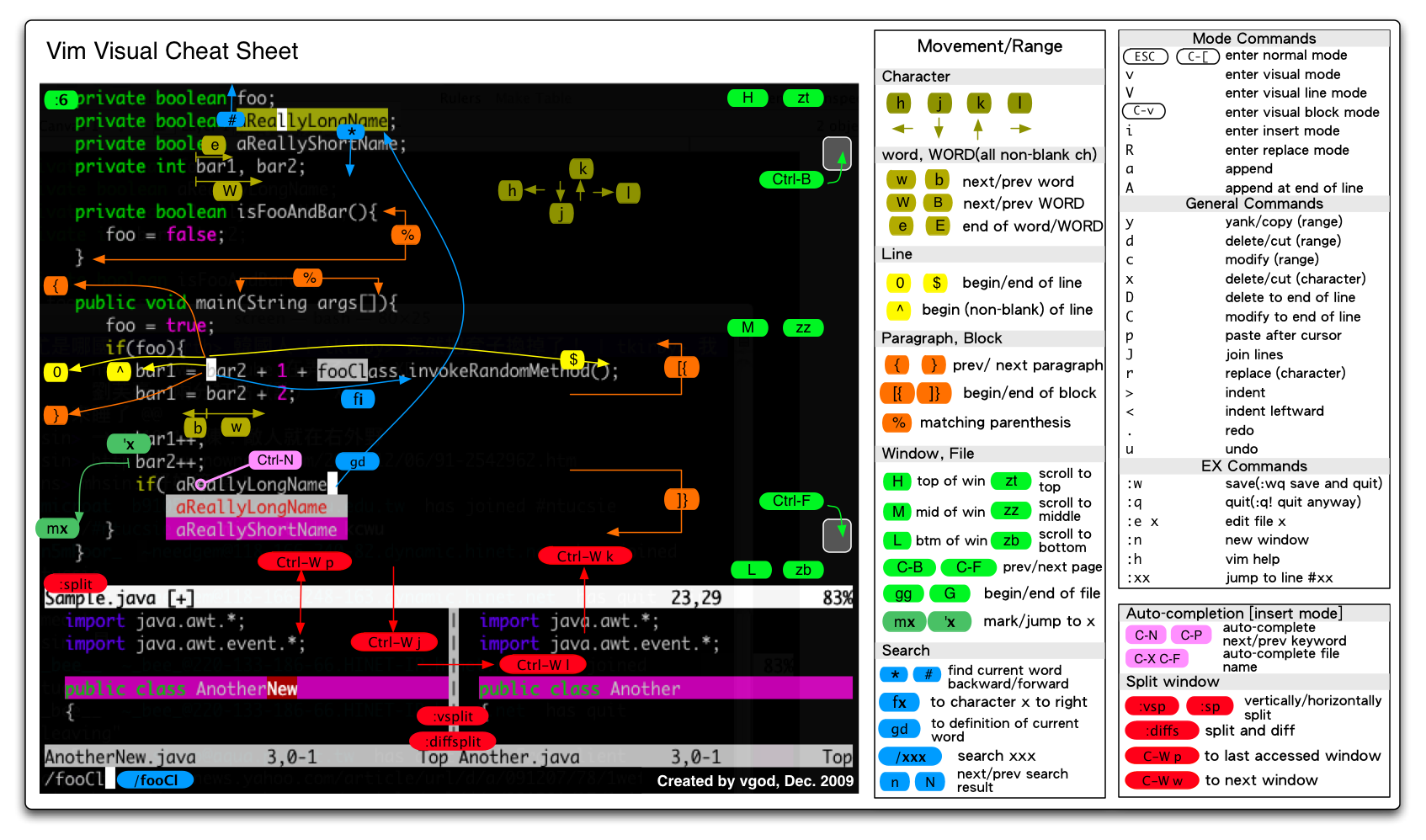
翻译版:
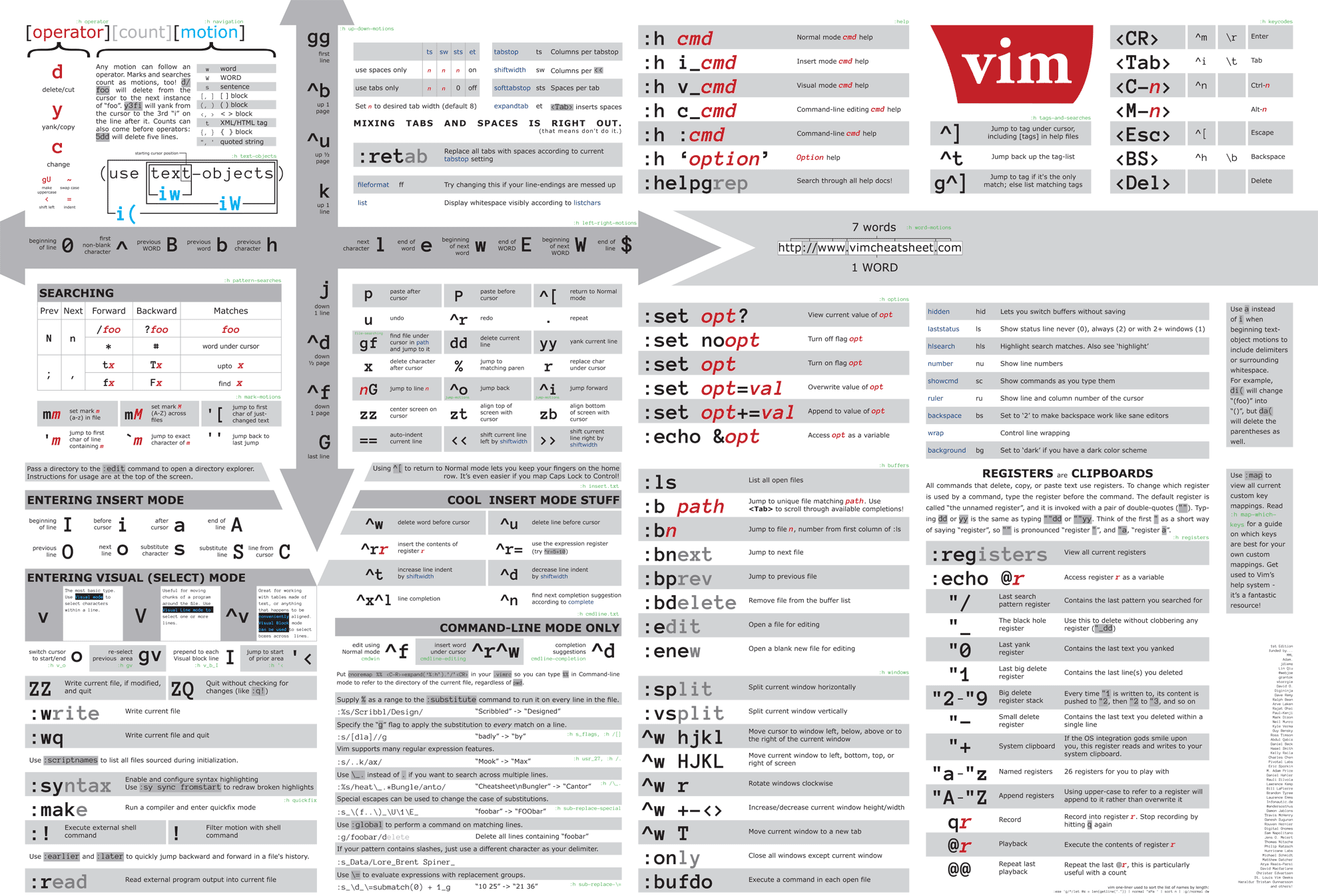

which from http://michael.peopleofhonoronly.com/vim/
https://vim.rtorr.com/lang/zh_tw/
调试
vim --startuptime timefile <文件名> 调试 vim 启动各阶段所用时间。
awk '{if ($2 > 100 && NR > 6) print $2, $(NF-1), $NF, NR}' timefile | sort -r 查看占用时间 >100ms 的步骤
实时分析:
:profile start profile.log
:profile func *
:profile file *
" At this point do slow actions
:profile pause
:noautocmd qall!
技巧
改变字符大小写
使用 ~ 或者 vu、vU
swap 文件
| 命令 | 描述 |
|---|---|
| :preserve | 保存修改到交换文件 |
| :recover | 从交换文件恢复 |
| :swapname | 查看当前交换文件的名称 |
[],{},"",'' 快速操作
vim documentation 有两个章节:object-motions 和 object-select。非常有用。
等号,缩进对齐
单词边界
使用 iskeyword 来改变单词边界的定义。用来改变 motion。
例如 autocmd BufRead *.js set isk-=.,针对所有 js 文件,将 . 排除出去
在 vim 里直接打开连接
鼠标移到链接上,按键 gx 即可。
:h gx 查看帮助
但是 gx 无法打开完整的链接,比如 https://www.youtube.com/watch?v=wlR5gYd6um0
open-browser.vim 可以解决这个问题
netrw_filehandler 可以用来扩展 gx 的解析。
CTRL-X mode
:h ins-completion
在 INSERT 模式下输入文件路径
敲击 ctrl-x ctrl-f 会触发相对路径。
以 / 开头敲击 ctrl-x ctrl-f 会触发绝对路径。
ctrl-n ctrl-f ctrl-p 用来上下移动选择。
详见 :h compl-filename
autochdir
set autochdir 可以让当前目录自动切换到打开的文件所在目录。这会影响到文件路径补全,有时很有用。
:autocmd InsertEnter * let save_cwd = getcwd() | set autochdir
:autocmd InsertLeave * set noautochdir | execute 'cd' fnameescape(save_cwd)
这样设置,可以只在 Insert 状态下起作用。
参考自 https://superuser.com/a/604180/1776434
一次打开多个文件
-o[N]       Open N windows stacked horizontally.  If N is omitted, open one window for each file.  If N is less than the
                number of file arguments, allocate windows for the first N files and hide the rest.

-O[N]       Like -o, but tile windows vertically.

-p[N]       Like -o, but for tab pages.
用管道读取内容
echo hello | vim -
-           Read text from standard input until EOF, then open a buffer with that text.  Commands are read from standard
            error, which should be a terminal.
diff 多个文件
vim -d file1 file2 [file3 [file4]]
类似 vimdiff [options] file1 file2 [file3 [file4]]
在每行末尾添加文字
:'<,'>norm A<文字>。<文字> 为要添加的文字内容。
输入换行符 ^M
按下组合键 Ctrl-V 和 Ctrl-M。
查看变量在哪被修改
:verbose set option?